Link to HTML Build of my game on Itch.io :
https://friede0666.itch.io/idle-office
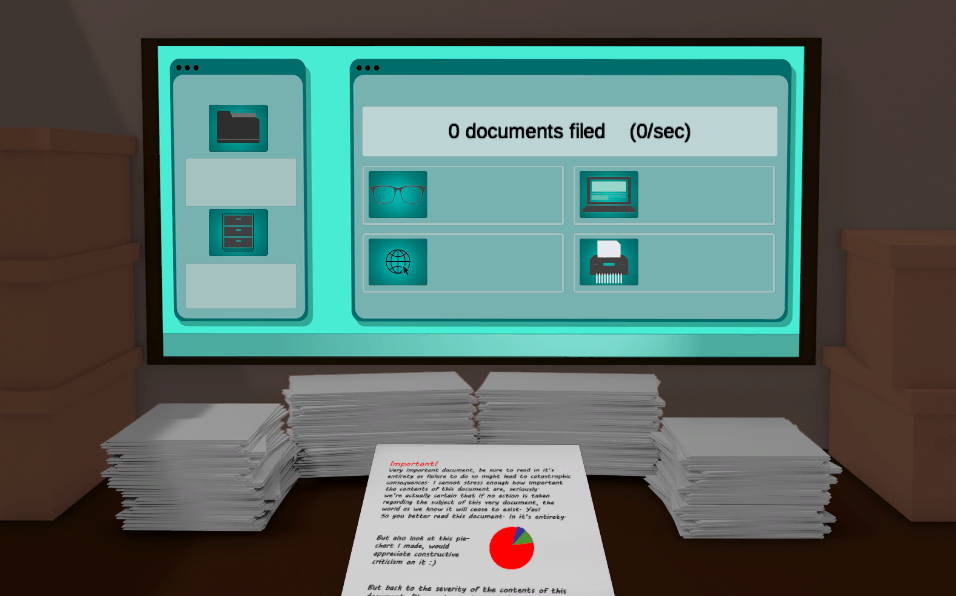
For the first entry to my portfolio of game prototypes I made a very simple cookie clicker clone. This was my introduction to working with Unity, coding in C# and making assets for games.
The first script I made was scr_Clicking
using System.Collections;
using System.Collections.Generic;
using UnityEngine;
using UnityEngine.UI;

public class scr_Clicking : MonoBehaviour

{
    public Text counter;
    public float counterNumber;
    public float ammountPerClick = 1.0f;
    public scr_AutoMail auto;

    void Update()
    {
        counter.text = Mathf.Round(counterNumber) + " documents filed" + "    (" + auto.increaseAmount + "/sec)";
    }

    public void Clicked()
    {
        counterNumber += ammountPerClick;
    }
}
This script uses the existing Update method within the Unity MonoBehaviour class to execute the contents of the function every frame.
I created a variable to store a UI Text element and called it “counter”, making it public so that I could view, edit and reference it from the inspector. I then created float variables for the counterNumber and the ammountPerClick to be able to assign decimal values to both of them.
The UI Text element I referenced contains a text component within it, so I set that text element to display my counterNumber variable followed by ” documents filed” in the scene. The text in the speech marks is hard coded so, unlike the counterNumber variable, it cannot change.
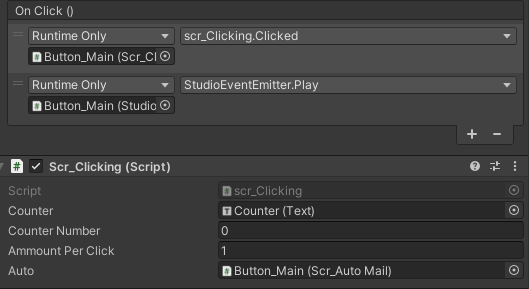
I made a function called Clicked to increment counterNumber by the current value of ammountPerClick which was given a default value of 1. I made it public so that I could reference it from the main button in the scene and call it whenever the button was pressed.
Next I added an upgrade script called scr_Upgrade_PC
using System.Collections;
using System.Collections.Generic;
using UnityEngine;
using UnityEngine.UI;

public class scr_Upgrade_PC : MonoBehaviour
{
    public scr_Clicking click;
    public Text upgradeInfo;
    public float currentPrice, powerOf, clickingPower;
    public string upgradeName;
    public float basePrice;

    public void Start()
    {
        basePrice = currentPrice;
    }

    public void PurchaseUpgrade()
    {
        if (click.counterNumber >= currentPrice)
        {
            click.counterNumber -= currentPrice;
            powerOf++;
            click.ammountPerClick += clickingPower;

            currentPrice = Mathf.Round(basePrice * Mathf.Pow(1.5f, powerOf));
            UpdateText();
        }

    }

    public void OnMouseEnter()
    {
        UpdateText();
    }

    public void OnMouseExit()
    {
        upgradeInfo.text = " ";
    }

    void UpdateText()
    {
        upgradeInfo.text = upgradeName + "\n" + "£" + currentPrice + "\n" + "Upgrade by " + clickingPower + " Documents filed per click!";
    }
}
This script allows the player to purchase upgrades to increase the value of the ammountPerClick variable and therefore gain more currency per click.
I made a new method for purchasing the upgrades called PurchaseUpgrade. It contained a conditional statement which only executed the code within it if the the value of the counterNumber variable from the previous script was greater than or equal to the currentPrice variable, which acted as the price for the upgrade and let the player buy the upgrade if they had enough currency, the price would then be subtracted from the counterNumber upon a successful purchase and would increase in value so that subsequent upgrade purchases would cost more.
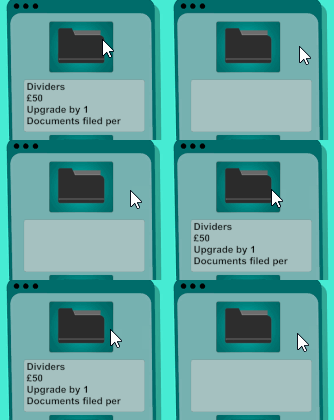
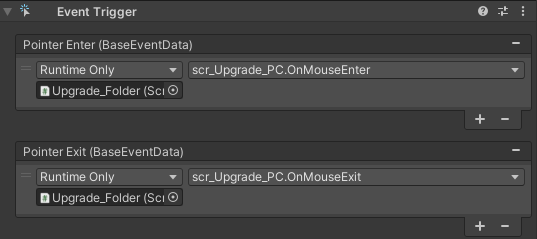
I made the text for the upgrades show up only if the player hovered their mouse over the icon for the upgrade by updating the text components of the upgradeInfo Text elements. This was easy to implement as Unity has built in methods to detect when the cursor is hovered over an object.
scr_AutoFile
public class scr_AutoFile : MonoBehaviour
{
    public bool filing = true;
    public int increaseAmount = 0;
    public scr_Clicking click;


    void Update()
    {

        if (filing == false)
        {
            filing = true;
            StartCoroutine(ReadMail());
        }
    }

    IEnumerator ReadMail()
    {
        click.counterNumber += increaseAmount;
        yield return new WaitForSeconds(1);
        filing = false;
    }
}
I needed this script to keep track of any automatic increases in currency before I could add upgrades that would generate currency by themselves.
I created an integer variable called increaseAmount to store whole number values and initialized it with a value of 0. I then ran a coroutine to increment counterNumber by this new increaseAmount variable every second.
The script keeps track of whether the coroutine is currently running or not with the use of a bool variable, this is a variable with a true or false value, a conditional statement checks if the bool is false, in which case it starts the coroutine and sets the bool to true, the bool is only set back to false once the coroutine is finished.
Next came the script that let the player purchase these automatic upgrades scr_UpgradeAC
using System.Collections;
using System.Collections.Generic;
using UnityEngine;
using UnityEngine.UI;

public class scr_UpgradeAC : MonoBehaviour
{
    public scr_Clicking click;
    public scr_AutoFile auto;
    public Text upgradeInfo;
    public float currentPrice, powerOf, multiplier;
    public string upgradeName;
    public int nextMailPerSec;
    private float basePrice;


    // Start is called before the first frame update
    void Start()
    {
        nextMailPerSec = 1;
        basePrice = currentPrice;
    }

    }
    public void PurchaseUpgrade()
    {
        if (click.counterNumber >= currentPrice)
        {
            click.counterNumber -= currentPrice;
            powerOf++;
            auto.increaseAmount += nextMailPerSec;
            nextMailPerSec = 1;

            currentPrice = Mathf.Round(basePrice * Mathf.Pow(2.05f, powerOf));
            UpdateText();
        }

    }

    public void OnMouseEnter()
    {
        UpdateText();
    }

    public void OnMouseExit()
    {
        upgradeInfo.text = " ";
    }

    void UpdateText()
    {
        upgradeInfo.text = upgradeName + "\n" + "£" + currentPrice + "\n" + "Upgrade filing by " + nextMailPerSec + " Documents per second!";
    }
}
This scripts works in a similar way to the previous upgrade script, it enables the player to buy automatic upgrades if they have enough currency, on a successful purchase the currency is subtracted from the counterNumber and becomes more expensive. The difference here is that the script increments a nextMailPerSec integer variable whenever the upgrade is purchased which is then added onto the increaseAmount from the scr_AutoFile script.
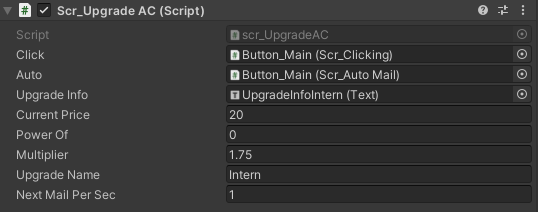
I added multiple different upgrades by adding the upgrade scripts to different button objects within the scene and tweaking their local variables.
All the assets for this game were created by me. I made the background for the scene in blender and the icons and overlay for the screen in illustrator.
I added some sounds to the prototype with the use of Fmod. I assigned mouse clicking sounds to the upgrade buttons and a page-turning noise to the main button, I then added some background music. These sounds were my attempt at immersion more so than feedback as I struggled a little bit with the integration of the middleware into Unity. I wasn’t confident enough with C# to know how to add audio feedback on a successful purchase.
Overall considering this was my first exposure to Unity and coding in C#, I think I made a decent first attempt and over one week I managed to create something which does somewhat resemble a game prototype. This project really helped me familiarise myself with Unity’s UI elements and it let me start developing a workflow which would really streamline the work on my other projects in this portfolio. To improve upon this project I could add some more interactive aspects, like animations or a more varied upgrade system.