
Link to HTML Build of my game on Itch.io :
https://friede0666.itch.io/cat-platformer
For this submission to my portfolio I made a 2D platformer game prototype In these types of games the player has to navigate through a level and avoid enemies or obstacles to get to the end.
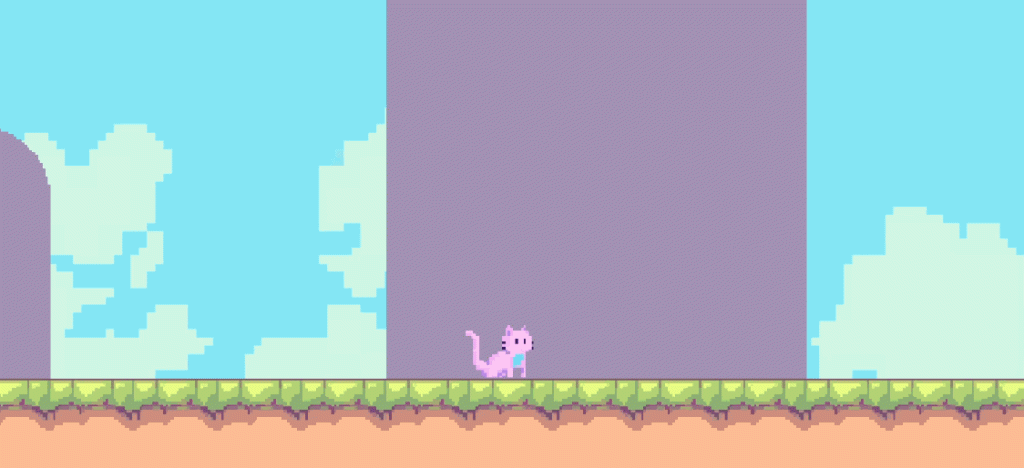
This time, I began by drawing and animating the player character as I already had an idea of what I wanted the game to look like.
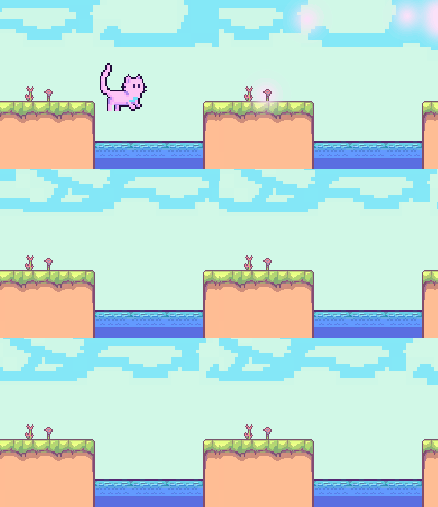
I created a small sample scene to test the animation and player movement.
PlayerMovement
using System.Collections;
using System.Collections.Generic;
using UnityEngine;

public class PlayerMovement : MonoBehaviour
{
    public float playerSpeed;
    private float movement;
    private Rigidbody2D rb;
    private Animator anim;

    public float jumpSpeed;
    private bool isGrounded;
    public bool isJumping;
    public Transform groundCheck;
    public float checkRadius;
    public LayerMask whatIsGround;

    private int numberOfJumps;
    public int totalJumps;

    void Start()
    {
        rb = GetComponent<Rigidbody2D>();
        anim = GetComponent<Animator>();
    }

    void Update()
    {
        isGrounded = Physics2D.OverlapCircle(groundCheck.position, checkRadius, whatIsGround);

        if (!isGrounded)
        {
            isJumping = true;
        }

        if (Input.GetKeyDown(KeyCode.W) && numberOfJumps < totalJumps)
        {
            rb.velocity = new Vector2(rb.velocity.x, 1 * jumpSpeed);
            FMODUnity.RuntimeManager.PlayOneShot("event:/Player_Jump", transform.position);
            numberOfJumps++;
        }

        if (isJumping && isGrounded)
        {
            isJumping = false;
            numberOfJumps = 0;
        }
    }


    void FixedUpdate()
    {
        movement = Input.GetAxisRaw("Horizontal");
        rb.velocity = new Vector2 (movement * playerSpeed * Time.deltaTime, rb.velocity.y);

        if (movement > 0)
        {
            anim.SetInteger("walkState", 2);
        }

        if (movement < 0)
        {
            anim.SetInteger("walkState", 1);
        }

        if (movement == 0)
        {
            anim.SetInteger("walkState", 0);
        }
    }

}
I constructed a script which let the player run left and right, based on horizontal input, and jump after hitting the “w” key. To ensure the player was not able to jump in the air I had to create a variable for the numberOfJumps which stored the amount of times the player had jumped and would only be reset upon hitting the ground layer. This let me include an additional condition for the jump where the player could only jump if the numberOfJumps was a smaller value than totalJumps, a variable with which I could control the total amount of jumps I wanted the player to be able to perform, for now I set this to 1 as I didn’t want my player to be able to double jump.
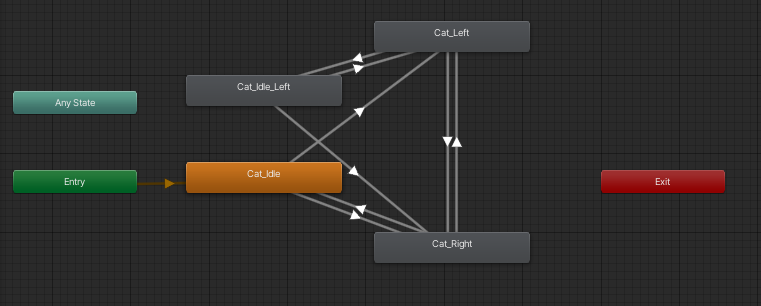
Within this script I also included a reference to the animator which would update the player character’s animation state based on the parameters I passed onto it from the conditional statements.
Before I moved onto making more of the level or introducing more mechanics I wanted to make sure I had a good camera to work with. I didn’t really like the way the camera from the tutorial followed the player on both the x and y axis and I felt it was excessively mobile. Whilst I could have just tweaked that version of the camera and clamp its vertical movement, I found it to be much easier to import CineMachine into my project and let it handle the camera movement. I aimed to create a camera that was slightly more similar in style to the camera in the video game ‘Celeste’, where the camera was bound to the borders of a room but would follow the player within those borders. I constructed very simple border shapes for my rooms with the use of the PolygonCollider2D component on empty game objects, gave them a new layer type and made sure to disable that layer from colliding with anything else than the camera.
RoomScript
using System.Collections;
using System.Collections.Generic;
using UnityEngine;

public class RoomScript : MonoBehaviour
{
    public GameObject virtualCam;

    private void OnTriggerEnter2D(Collider2D other)
    {
        if (other.CompareTag("Player"))
        {
            virtualCam.SetActive(true);
        }
    }

    private void OnTriggerExit2D(Collider2D other)
    {
        if (other.CompareTag("Player"))
        {
            virtualCam.SetActive(false);
        }
    }
}
All I had to do here was fetch a reference to the CineMachine camera object and set it to activate when the player entered the bounds of the rooms, upon exiting the room the camera would be disabled again.
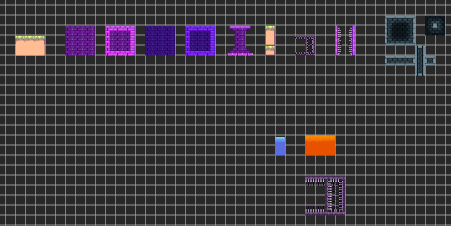
With the assets I created myself I began laying out the entire level and ended up with this.
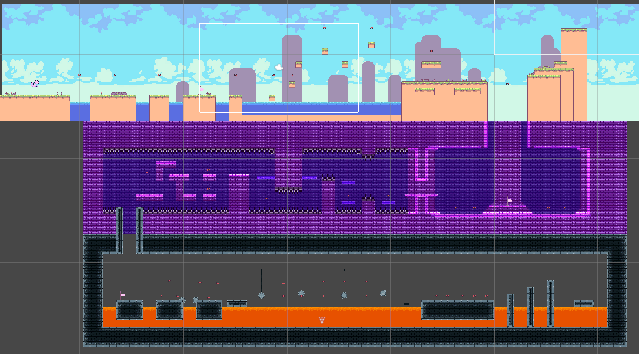
I added a TileMapCollider2D as well as a RigidBody2D to the tile maps to ensure that there was proper collision and I separated the layers for the ground, walls, and background to give different collision types. This however led to every tile in the tile map receiving it’s own collider which itself introduced many issued like the player hitbox registering collisions with the ground’s vertical hitboxes. To remedy this I used a CompositeCollider2D, which smoothed out the tile map collider and made it a single shape.
I frequently came across an issue where the player would get stuck on walls upon colliding with them and I eventually found a solution on a stack overflow thread, which involved creating a physics material and adding it to the walls. This let me tweak the friction of the wall tile map and so the player no longer got stuck as it would instead slide off of the walls.
Next I wanted to implement a death system into the game, some way of creating a challenge for the player that would hopefully make the game more fun and interactive. I did this by assigning all hazards to the “hazard” layer and creating the PlayerDeath script
PlayerDeath
using System.Collections;
using System.Collections.Generic;
using UnityEngine;
using UnityEngine.SceneManagement;

public class PlayerDeath : MonoBehaviour
{
    public Rigidbody2D rb;
    public SpriteRenderer renderer;
    public GameObject particles;

    void Start()
    {
        rb = GetComponentInParent<Rigidbody2D>();
        renderer = GetComponentInParent<SpriteRenderer>();
    }

    private void OnCollisionEnter2D (Collision2D collision)
    {
        if (collision.gameObject.CompareTag("Hazard"))
        {
            Die();
            Invoke("ReloadGame", 0.5f);
        }
    }

    private void Die()
    {
        rb.bodyType = RigidbodyType2D.Static;
        FMODUnity.RuntimeManager.PlayOneShot("event:/Player_Hurt", transform.position);
        Instantiate(particles, transform.position, transform.rotation);
        renderer.enabled = false;
    }

    void ReloadGame()
    {
        SceneManager.LoadScene(SceneManager.GetActiveScene().buildIndex);
    }
}
By declaring variables for the rigid body and sprite renderer components of the player I was able to create a Die method in which the rigid body type would be set to static, a death sound effect would play and the sprite renderer would be disabled. This function was called whenever the player collided with something on the hazard layer. Additionally the collision would invoke the ReloadGame method which would reload the scene to essentially restart the game.
Next, since I now had a fail state in the game I wanted some method of saving the character’s progress. To achieve this I followed Blackthornprod’s youtube tutorial to implement a GameMaster.
using System.Collections;
using System.Collections.Generic;
using UnityEngine;
using UnityEngine.UI;
using UnityEngine.SceneManagement;

public class GameMaster : MonoBehaviour
{
    public static GameMaster instance;
    public Vector2 lastCheckPointPos;
    private GameObject cat;
    public int score;
    public Text text;
    private Vector2 firstPos;

    void Awake()
    {
        cat = GameObject.Find("Cat");
        firstPos = new Vector2(-43.45f, -2.85f);

        if (instance == null)
        {
            instance = this;
            DontDestroyOnLoad(instance);
        }
        else
        {
            Destroy(gameObject);
        }

    }

    public void TextUpdate()
    {
        score++;
    }

    void Update()
    {
        text.text = "Score : " + score;
    }

    public void restart()
    {
        Vector3 spawnPos = new Vector3(0, 0, 0);
        SceneManager.LoadScene(1);
        score = 0;
        lastCheckPointPos = firstPos;
    }

}
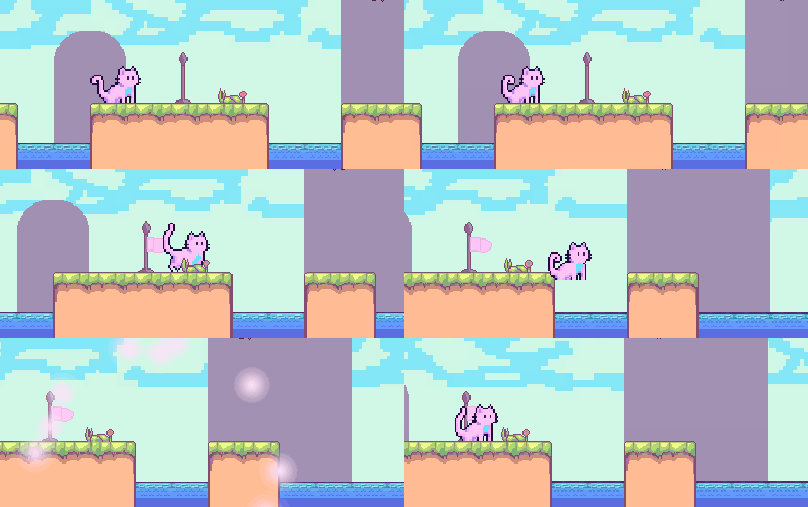
I used this game master object to store variables between reloading scenes as it contained the DontDestroyOnLoad attribute meaning it would not be destroyed when resetting or reloading the scene. I used this feature to store a Vector2 variable for the lastCheckpointPos, or the position of the last checkpoint game object the player collided with. In addition to this I also stored a Score variable which I would reference back to from a different script later on.
using System.Collections;
using System.Collections.Generic;
using UnityEngine;

public class CheckPointScript : MonoBehaviour
{
    private GameMaster gm;
    private Animator anim;

    void Start()
    {
        gm = GameObject.FindGameObjectWithTag("GM").GetComponent<GameMaster>();
        anim = GetComponentInParent<Animator>();
    }

  void OnTriggerEnter2D(Collider2D other)
    {
        if(other.CompareTag("Player"))
        {
            gm.lastCheckPointPos = transform.position;
            anim.SetInteger("CheckPointState", 1);
            FMODUnity.RuntimeManager.PlayOneShot("event:/World_Checkpoint", transform.position);
            GetComponent<Collider2D>().enabled = false;
        }
    }
}
This is the script I used to update the lastCheckpointPos variable everytime the checkpoint detected a collision with the player character. The checkpoint would pass it’s position to the GameMaster script which would set the lastCheckpointPos to the currently active checkpoint position. Since the GameMaster script is not destroyed on load, the script remembers the position of the last checkpoint and can set the respawn position of the player equal to a checkpoint they activated.
After being introduced to arrays in the previous prototype I wanted to try implement them into this one in some way. So I created a moving platform system where the platform would move between waypoint game objects declared as an array. The script for these platforms looks like this.
using System.Collections;
using System.Collections.Generic;
using UnityEngine;

public class MovingPlatform : MonoBehaviour
{
    [SerializeField] private GameObject[] waypoints;
    private int currentWaypointIndex = 0;
    private bool colliding = false;

    public float speed;

    private void Update()
    {
        if (Vector2.Distance(waypoints[currentWaypointIndex].transform.position, transform.position) < .1f)
        {
            currentWaypointIndex++;
            if (currentWaypointIndex >= waypoints.Length)
            {
                currentWaypointIndex = 0;
            }
        }

        if (colliding)
        {
        transform.position = Vector2.MoveTowards(transform.position, waypoints[currentWaypointIndex].transform.position, Time.deltaTime * speed);
        }
    }

    private void OnCollisionEnter2D(Collision2D collision)
    {
        if (collision.gameObject.name == "Cat")
        {
            colliding = true;
            collision.gameObject.transform.SetParent(transform);
        }
    }

    private void OnCollisionExit2D(Collision2D collision)
    {
        if (collision.gameObject.name == "Cat")
        {
            collision.gameObject.transform.SetParent(null);
        }
    }


}
The script transforms the position of the game object it is attached to by moving it towards the position of a waypoint. Upon reaching the waypoint the script increments the index of the array, moving onto the next waypoint. In the case of a platform with two waypoints, the platform would move back and forth between the waypoints at a speed determined by the speed variable.
I had an issue where the player would slide off instead of sticking to the moving platform. I initially tried solving this with the physics material method, but whilst increasing the friction of the platform did work in keeping the player on it while moving, it made the player completely unable to move whilst in contact with the platform. To solve this I set the player as a child of the platform on collision between them. This meant that the transform which moved the platform would also apply to the player.
using System.Collections;
using System.Collections.Generic;
using UnityEngine;

public class SawMovement : MonoBehaviour
{
    [SerializeField] private GameObject[] waypoints;
    private int currentWaypointIndex = 0;

    public float speed;

    private void Update()
    {
        if (Vector2.Distance(waypoints[currentWaypointIndex].transform.position, transform.position) < .1f)
        {
            currentWaypointIndex++;
            if (currentWaypointIndex >= waypoints.Length)
            {
                currentWaypointIndex = 0;
            }
        }

            transform.position = Vector2.MoveTowards(transform.position, waypoints[currentWaypointIndex].transform.position, Time.deltaTime * speed);

    }
}
I used a very similar script to add moving obstacles into the game, though this time without the ability to jump on and get carried along.
The last thing I added was an end state to the game, upon reaching a flagpole object at the end of the level the function to wipe all stored variables would be called and the player would be given the option to return back to the start of the level.
I feel like this project is a really good showcase of my progress with Unity over the past couple of weeks. I rarely had to look back and reference previous code and I didn’t find myself looking up definitions for methods or troubleshooting on forums nearly as much as with the previous projects. I became really accustomed to working with Unity’s tile map system and I am really happy in terms of the game mechanics I managed to implement. I received a lot more positive feedback from the people who play tested my games regarding this prototype rather than the previous three. I could definitely still polish the prototype further, there are some visual glitches which occur due to improper layering, I could add more mechanics and make the character controller feel a lot more responsive, perhaps by introducing some variable to control the gravity and increasing it towards the end of the jump.